

27" Philips 275S1AE


27" Philips 275S1AE
This Philips LCD monitor with a 27" screen allows you to work in Quad HD (2560 × 1440) resolution. With its IPS panel, you get excellent colour reproduction, lower contrast, and the picture quality remains the same even when you change the viewing angle. With an IPS panel, there's also a minimal risk of burn-in, so it will serve you for a long time. It displays data with an 8-bit colour depth, which is the standard for most display devices. You can take advantage of all this not only when creating a logo and banner, but also when editing video, for example. The anti-reflective surface of the display reduces glare and increases visibility in various lighting conditions. Thanks to the standard 16:9 aspect ratio, you can easily open, for example, a text document with a graphics editor side by side and be able to work with windows effectively. The maximum brightness of 300cd/m² is designed for working in places protected from direct sunlight and is also suitable for spaces that are not too brightly lit. It can be mounted on a wall or stand using a 100×100 VESA mount. This way, you can easily install multiple monitors in your office.
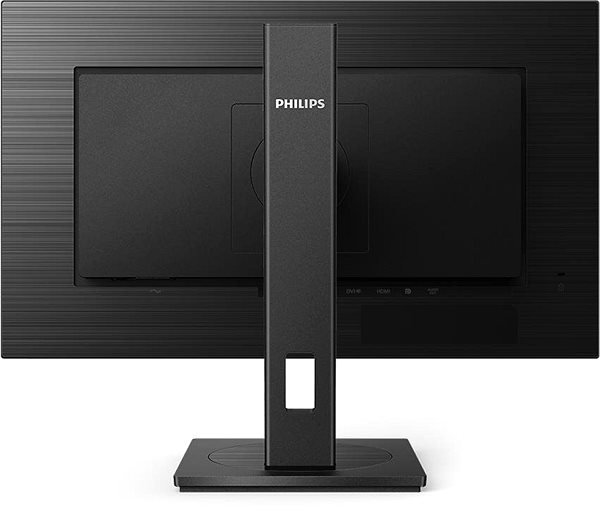
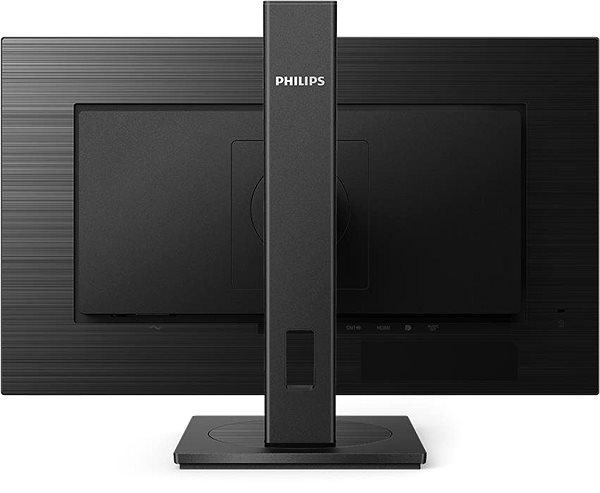
Key Features of the 27" Philips 275S1AE Monitor
- Work efficiently with this 27" Philips LCD monitor with Quad HD (2560 × 1440) resolution
- It uses an IPS panel with a refresh rate of up to 75Hz and a 4ms response time to display colours
- The anti-reflective layer on the display reduces glare
- The standard 16:9 format offers you accurate reproduction of visual content
- Its 8-bit colour depth is great for working with JPEG image formats
- The maximum brightness of 300cd/m² is ideal for working out of direct sunlight and in less-lit rooms
- Flat monitor design
The Philips monitor stands out with many interesting properties and functions
The 27" IPS PC monitor has a flat design that makes it easy to place multiple monitors side-by-side. It has a filter that lets less harmful blue light through and a Flicker-free function that reduces the frequency of monitor flicker. This can help reduce eye fatigue and improve sleep quality. You can tilt and adjust the monitor so that its top side corresponds to eye level, thus promoting correct posture, which reduces strain on the cervical spine, prevents back pain and the development of scoliosis. Tilting the monitor is practical for users who work while standing. The Pivot function allows the monitor to be rotated by 90°, which is practical for traders, programmers and data analysts using a spreadsheet editor.
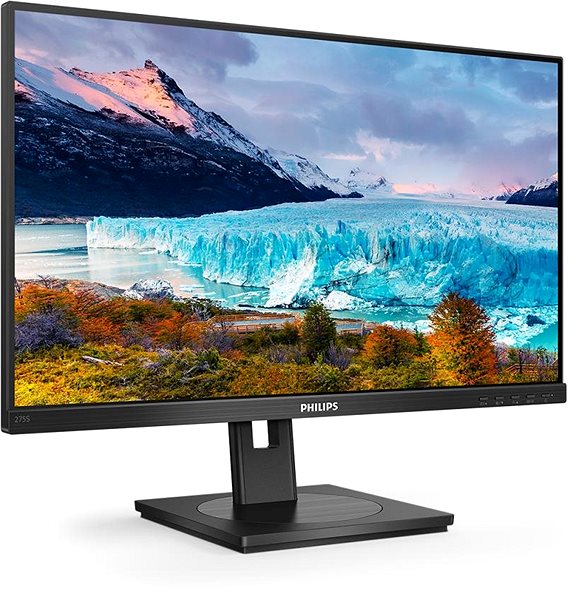
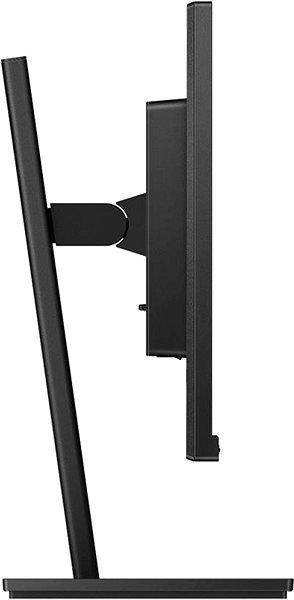
The Philips monitor will pleasantly surprise you with its features
To connect your laptop or computer to the monitor, you can use HDMI, DisplayPort and DVI. If your computer does not have a suitable connector, you can expand its connectivity by purchasing a compatible port replicator. A port replicator also comes in handy when you want to connect two monitors. The integrated speakers offer a convenient solution for both audio and video in one device. In addition to the monitor itself, the package also includes an HDMI and DisplayPort cable.
Choose your monitor based on native contrast and colour coverage
The Philips monitor has a native contrast of 1000:1. The difference between the brightest and darkest point the monitor can display is defined by the native contrast ratio. If a monitor has a contrast ratio of 3000:1, it means the brightest point (white) is 3000× brighter than the darkest point (black). Adobe RGB colour coverage indicates what percentage of colours from this colour space the monitor can display. It is wider than the standard sRGB, which makes it essential for photographers who work with photos from the initial shot to the final edit. The value can even exceed 100%, which means the monitor can display more colours than is usual for the given space. The Adobe RGB colour coverage is 110%. The sRGB colour spectrum is less rich compared to Adobe RGB, but it is the colour space found on most common monitors. This monitor has a 123% sRGB gamut. It will display a wider palette of colours with more shades than is standard for it. This will make the content on the monitor look better.
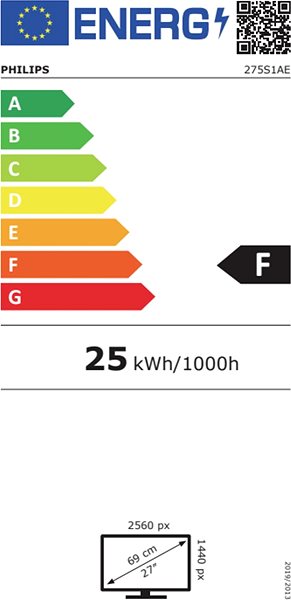
Data on the monitor's energy label:
- The manufacturer and model of the monitor are listed in the header
- The scale of energy classes (left), the specific energy class of the product (right)
- kWh/1000h: energy consumption in kilowatt-hours per 1000 hours of operation
- SDR kWh/1000h: energy consumption in SDR mode in kilowatt-hours per 1000 hours of operation
- Pixels: vertical and horizontal display resolution (2560 × 1440 px)
- Units in inches and centimetres: screen screen size
__________________________________________________________________
After scanning the QR code, you will be redirected to the European EPREL database, where you will see the display type, the technology used in its production (e.g. LCD, QLED) and other monitor specifications.
screen size:
27"
Colour coverage (Adobe RGB):
110%
Colour coverage (sRGB):
123%
Graphics interface:
HDMI, DisplayPort and DVI
Graphics interface standards:
DisplayPort 1.2 and HDMI 1.4
Energy class in SDR mode:
F
Consumption in SDR mode:
17.3kWh/1000h
Dimensions:
53.7 × 61.3 × 20.5cm (H×W×D)
Weight:
6.44kg
Specifications
Display diagonal and resolution
Construction
Panel and screen technology
Aspect Ratio
Backlight and colour
Connection
Colour gamut
Features and functions
Colour
Dimensions and weight
Packaging
Power outlet type
Energy specifications
| Code: | WC120a93l4 |
| Warranty: | 36 months |
| Links: | Producer's Website: |
| Manufacturer information |
Philips Consumer Lifestyle B.V., Tussendiepen 4 9206 AD Drachten Netherlands, www.philips.com/support Pernerova 702/39, 186 00 Prague 8, [email protected] 
|