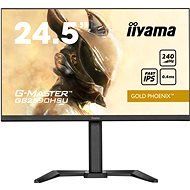
Interested in reviews of 25" iiyma G-Master GB2590HSU-B5? It got 5.0 out of 5 stars from our customers. Find specific customer reviews of 25" iiyma G-Master GB2590HSU-B5 below. We will appreciate if you also share your experiences with 25" iiyma G-Master GB2590HSU-B5 after purchasing.
Overall good monitor. Yet, one needs to work a bit on setting up colors. My options: - Contrast 80
- Brightness 80
- Overdrive 2
- Adv. contrast - off
- Eco - off
- Blue light reducer - off
- Black tuner +1
- Color saturation +8
- Gamma - 3
- Audio - 100 (and then you set desirable audio level in operating system
- Color: red - 100, green - 100, blue - 100
- I-style color - off
- x-res - off
- Sharp and soft - 4
- RGB range - auto In Windows - turn off automatic color control for applications. In MacOS - select standard lcd or RGB color profile. You could also select 10 bit in your video card (I have Nvidia so it works for me). After that colors look vivid and black is balanced.
Speakers
HRD actually works
Sharpen and soften screen image option
10-bit
FreeSync
Colors are ok after a bit of tuning
Can tune black color intensity
Integrated PSU
240 Hz
Buttons under the screen
Only two ports
Speakers could be a bit louder even if you set them to 100%
Not so intuitive to set blue color to be more bluish and more color (not sure how to express that part)
0 ×Report
Try our cookies
Alza.cz a. s., Company identification number 27082440, use cookies and other data to ensure the proper functioning of the website and, with your consent, also, among other things, to personalize advertising and the content of our websites. By clicking on the “I understand“ button, you agree to the use of cookies and the transfer of data regarding the behavior on the website for displaying targeted advertising on social networks and advertising networks on other websites.