
Reviews 26.5" MSI MPG 271QRX QD-OLED
Interested in reviews of 26.5" MSI MPG 271QRX QD-OLED? It got 4.4 out of 5 stars from our customers. Find specific customer reviews of 26.5" MSI MPG 271QRX QD-OLED below. We will appreciate if you also share your experiences with 26.5" MSI MPG 271QRX QD-OLED after purchasing.
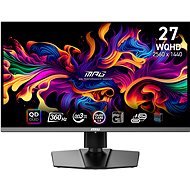
26.5" MSI MPG 271QRX QD-OLED
In stock > 5 pcs
572.90 €
Add to Cart

David, Znojmo - Přímětice
Rated 18/08/2026, variant 26.5" MSI MPG 271QRX QD-OLED
Verified purchase - review from a price comparison website
An excellent monitor with a brilliant price/performance ratio. The OLED advantages are most noticeable when you're gaming in the dark at night, that's where it really excels. In games, the colours and blacks are excellent. I'm glad I bought this product and after a week of use, I'm satisfied and don't have a single complaint. The monitor's diagonal size is just right and sufficient for me.
Excellent build quality from MSI
great colours
brilliant OLED black
Excellent monitor menu, which can be switched to Czech.
360hz
0 ×Report
Automatic translation
Michael, Ostopovice
Rated 13/01/2026, variant 26.5" MSI MPG 271QRX QD-OLED
Verified purchase
awesome picture
colours
no VR flickering
great uniformity of the panel
HDR
in a strong light purple tinge
incredibly terrible screen material, the monitor is absolutely uncleanable, scratches even when gently cleaning with a micro wipe with distilled water
I guarantee you that after the first cleaning the monitor will never look like new again, just shine a white light on it and you will see the smudges and scratches
returned for this reason
0 ×Report
Automatic translation

David, Vřesina
Rated 18/04/2025, variant 26.5" MSI MPG 271QRX QD-OLED
Verified purchase
Beautiful display with terrible firmware. Pixel refresh after accumulating 4 hours of operation displays a warning after 16 the monitor immediately shuts down and cannot be used for 10min. It is not possible to switch inputs if the currently selected input does not have a signal so if you switch between two PCs you must have both switched on. If you want oled choose another manufacturer.
Beautiful colours
Low response
Shaky firmware
Control does not respond until the last input used is active
Pixel refresh starts immediately after reaching 16h without warning during operation
0 ×Report
Automatic translation

Petr, Zlín
Rated 20/12/2024, variant 26.5" MSI MPG 271QRX QD-OLED
Verified purchase
black is black
nice colours
cables in the package
I have already complained once, after the 1st day of using the product, there were such fine white lines on the screen, not all the time, but it was most visible on the perfect black, I thought, probably a bad product. So I complained, of course it took 30 days, after that time they wrote me that they would send me a new one. And lo and behold, the monitor is doing it again, so I'm going to claim it after the 2nd, so sorry, a 25k monitor, and from day 1 there are only problems with it. Shame on MSI.
0 ×Report
Automatic translation
Anonymous customer
Rated 03/12/2024, variant 26.5" MSI MPG 271QRX QD-OLED
Verified purchase
Great stuff, for someone who knows they will use it I recommend it. I'd say there's a bit of a need for the user to understand what it is and why it is, it's not quite for everyone.
Beautiful colours, true black
Low pixel response time and high refresh rate is really noticeable in games
HDR compatibility is not perfect for all games, hard for a normal user to understand what to do about it
At night the colours can be too strong, you need to reduce the brightness to avoid headaches
0 ×Report
Automatic translation

Sergii Get/ Tor Industries, Praha 1
Rated 11/11/2024, variant 26.5" MSI MPG 271QRX QD-OLED
Verified purchase
It is impossible not to work.
Text clarity
0 ×Report
Automatic translation

Šimon, Studeněves
Rated 19/09/2024, variant 26.5" MSI MPG 271QRX QD-OLED
Verified purchase
I was going to write a technical analysis of the comparison of OLED, WOLED and QD OLED here, but I'll keep it short. The QD QD OLED on this monitor has beautiful but burnt-in colours. Even after calibration and adjustment of the settings it is so.
If you're interested in what I mean, go to the Alza showroom and look at the OLED vs QLED TVs side by side. QDOLED is probably just another version of QLED (and watch out for that, because everywhere you read that QDOLED is an improved OLED, it's just not true in my opinion and it's a good marketing massage).
It has HDR and SDR mods. You can't adjust brightness in HDR mode (but I wouldn't expect that, HDR needs full brightness to work properly).
QDOLED is in my opinion the best technology at the moment (maybe it can compete with WOLED) for gaming. And it is precisely because of the color burn-in, the image is simply more interesting for this use-case.
When you turn on SDR, I feel it is worse than an IPS panel. I may have to play around with the SDR setup for a while. Anyway, if you turn on the blue-light filter in SDR mode or night mode in the operating system, the picture is literally horrible. I suspect that it has something to do with the fact that QDOLEDs produce the blue color not from pixels but from behind the pixels, so it cannot be corrected well. If you want to use GamingIntelligence software to manage your monitor, you have to click through their stupid website, which can't even be switched to English (so you'll have to use machine translated English). When you turn on the app, the first thing that pops up is an ad for Norton. That's exactly what I wanted when I bought a 25k monitor. For office work absolutely useless, for gaming quite possibly one of the best monitors on the market. Unless that 1000 rivets at night burned out your pupils: ) I'd rather buy an OLED for movies.
Great colours for gaming
Completely useless for office work
0 ×Report
Automatic translation
Anonymous customer
Rated 12/08/2024, variant 26.5" MSI MPG 271QRX QD-OLED
Verified purchase
Fantastic colors. Beautiful HDR.
Easily visible even in a bright room. I have it placed perpendicular to the window, about 4 meters from it, and you can see it all day long.
I like the screen burn-in feature.
Overall it seems stable.
Controlling the display with a joystick or via software is fine.
For a monitor in this price category, I would welcome an included DP cable.
The RGB lighting on the back of the display is dull - I turned it off.
The FW upgrade is unnecessarily complicated - you have to choose the right type, disconnect everything except DP, etc.
I don' t understand why it is not officially at least G-sync compatible. It has adaptive sync, it works, but I would be more calm when buying if I was sure.
0 ×Report
Automatic translation
Anonymous customer
Rated 28/06/2024, variant 26.5" MSI MPG 271QRX QD-OLED
Verified purchase
After thinking for a long time and watching countless videos, I decided to buy a QD-OLED monitor for the first time, and its great quality can already be seen when it is switched on. I switched to this monitor from an " ordinary" LCD monitor with a VA panel and the difference is striking. When played at the highest details, the games look out of this world.
Breathtaking colors
Stylish design
Various monitor settings
Mega fast response
3-year burn-in warranty
I understand that a monitor for almost 30,000 is a decent racket, BUT if you do buy it, you won' t regret a single crown
The monitor itself is of such high quality that I had slightly lower FPS in some games, but on the other hand, the image and colors definitely make up for it
0 ×Report
Automatic translation
Jaroslav, Jilemnice
Rated 07/05/2024, variant 26.5" MSI MPG 271QRX QD-OLED
Verified purchase
The picture is really excellent. Thanks to the high contrast and color saturation, the games look very good. It' s most noticeable with games you' ve played for a long time and have a visual comparison. The image on the IPS panel looks like it has been washed in a washing machine. I' m currently playing Alan Wake 2 in HDR and enjoying the visuals. The legibility of the font is much debated. I don' t think this is a problem with this third generation QD-OLED. Readability is at the level of ordinary office monitors. It can be used for occasional office work without any problems.
Overall picture - contrast, color saturation, response
Quality workmanship
Rich setting options in the menu
3 year warranty
HDR
Resolution 2560x1440
27” diagonal
Price
Possible power consumption that is higher than other technologies
0 ×Report
Automatic translation