

Reviews 27" ASUS ROG Strix OLED XG27ACDNG
Interested in reviews of 27" ASUS ROG Strix OLED XG27ACDNG? It got 4.5 out of 5 stars from our customers. Find specific customer reviews of 27" ASUS ROG Strix OLED XG27ACDNG below. We will appreciate if you also share your experiences with 27" ASUS ROG Strix OLED XG27ACDNG after purchasing.
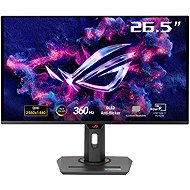
27" ASUS ROG Strix OLED XG27ACDNG
In stock > 5 pcs
605.90 €
Add to Cart

Martin, Zbýšov u Brna
Rated 26/06/2026, variant 27" ASUS ROG Strix OLED XG27ACDNG
Verified purchase
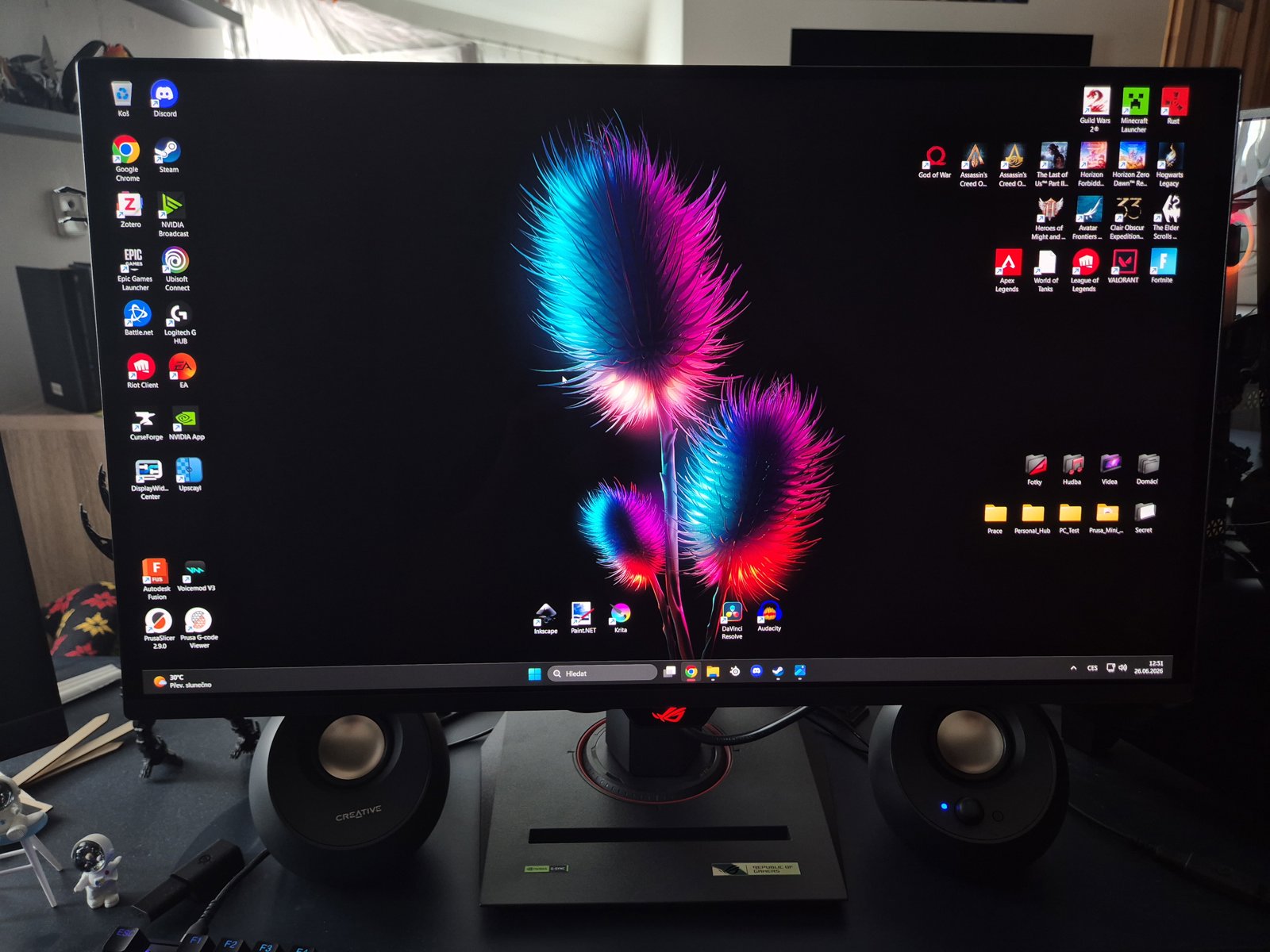
If you’re looking for a top-of-the-range gaming monitor, this is exactly what you need. I’ve switched from a 240Hz VA panel (Samsung Odyssey G65B) and, to be honest, the difference is breathtaking. The 360 Hz refresh rate, combined with the instantaneous response of OLED, takes games like Valorant and Rust to a whole new level. Everything is perfectly sharp even at top speed, and the colours – with their absolutely pitch-black blacks – are simply brilliant. Even as I was unpacking it, I was struck by just how much this product is geared towards gamers and the community. ASUS has packed the box with a massive haul of cables and accessories. You’ll find a high-quality DisplayPort cable, an Ultra High Speed HDMI cable, a USB 3.2 cable and even a USB-C cable there. You’ll also get a premium ROG cable organiser, some brilliant stickers, a VESA mount kit and a high-quality microfibre cloth – which always comes in handy with an OLED screen. The monitor’s design is a thing of pure gaming beauty; it looks incredibly stylish on your desk. There’s a ready-made thread on the top of the stand (see photo), so you can screw a webcam or ring light straight onto it for streaming, without any annoying arms taking up space on your desk. The stand’s base itself is nice and compact, so it won’t take up half your desk, and it even has a groove in it where you can prop your mobile up perfectly. When it comes to connectivity, the monitor features a USB-C port with 90W power delivery, so it can transmit video whilst charging your laptop in a flash, all via a single cable. The in-game features in the menu, such as sniper mode and the built-in crosshair, work a treat. What’s more, the crosshair automatically changes colour depending on what you’re looking at – it turns white in the dark and darkens in the light, so you’ll never lose sight of it. Were you afraid of the burning? You don’t have to. The ASUS OLED Care+ package works brilliantly in the background, discreetly adjusting the image (Screen Move) and dimming the static Windows taskbar or logos to preserve pixels. Above all, though, it doesn’t bother you at all whilst you’re playing. Although the monitor will kindly alert you with a reminder after 8 hours of active use, the deep pixel cleaning will only start automatically when you switch the monitor off properly and go to bed. As far as I’m concerned, it’s currently the best 1440p monitor for gamers on the market. It may cost a bit more, but the joy you get every time you switch it on is absolutely worth it!
OLED Care+ monitors burn-in in the background, and the pixel cleaning process won’t disturb you whilst you’re gaming
A perfect QD-OLED picture, incredibly rich colours and deep blacks
A smart gaming crosshair that changes colour to match the background
A brilliant stand with a threaded mount for a webcam and a cut-out for a mobile phone
Incredibly smooth 360Hz performance and zero lag (a huge advantage in shooters)
Extremely comprehensive package (all cables included, including USB-C, ROG case, VESA mount kit and cleaning cloth)
Top-of-the-range connectivity (HDMI 2.1, DisplayPort 1.4 and USB-C with 90W power delivery)
The lack of built-in speakers (unless you’re using headphones or your own speakers, you’ll need to sort this out externally, but with such a no-compromise gaming monitor, that’s more or less to be expected)


0 ×Report
Automatic translation
Anonymous customer
Rated 26/05/2026, variant 27" ASUS ROG Strix OLED XG27ACDNG
Verified purchase
Beautiful, clean image
Overall good brightness for an OLED even in a very bright room
Colour spectrum
Fast response + 360hz
Absolutely unbeatable price, at 11k as an unboxed piece, there is nothing to add here at all.
Nothing about the product itself. I was just annoyed when I opened the package, the inner polystyrene was pretty much destroyed and the whole monitor was dirty from a lot of pieces of polystyrene + through the grilles to the cooling also something was attacking
0 ×Report
Automatic translation
Customer, Plzeň
Rated 21/05/2026, variant 27" ASUS ROG Strix OLED XG27ACDNG
Verified purchase
Monitor je prostě úžasný, vzhled je super, obraz je neuvěřitelně krásný, jsem se vším spokojený.
jas
Barevné podání
360hz
Vzhled je prostě ohromující
Lesklý povrch, obrazovka zachytí každou smítko prachu a je to velmi patrné, čištění monitoru je hotová noční můra.

0 ×Report
Richard, Brno
Rated 12/05/2026, variant 27" ASUS ROG Strix OLED XG27ACDNG
Verified purchase
Prvý OLED monitor, ktorý som si kúpil a zatial veľmi spokojný.
Obraz a Farby sú užas na oči čo mi zlepšuje experience pri hraní jak nových tak aj starších Story game titulov. Podpora 360Hz takže super pre kompetitvne FPS tituly
Cena je trošku moc, takže odporúčam kúpiť na Black Friday alebo iných väčších zľavových akciach.
Za mňa odporúčam
360Hz
QD-OLED panel má perfektné farby a kontrast
Čierna je naozaj úplne čierna
Enhanced experience pri jak FPS Competetivných hrách tak aj pri Story-Rich hrách
USB-C + KVM switch sú veľké plus pre work/gamer balance setup
OLED protection funkcie proti burn-inu
Design
OLED Anti-Flicker ak pri Variable Refresh Ratu dostávate flickering
Cena (odporúčam vychytať pri Black Friday alebo iných podobných akciach)
Downside OLED Anti-Flicker je limitovaný na Hz a nemožete naplno využit tých 360Hz
Text nie je tak ostrý ako na IPS paneloch
Burn-in ale dľžka záruky by to mala istiť
0 ×Report
Adam, Praha
Rated 19/02/2026, variant 27" ASUS ROG Strix OLED XG27ACDNG
Verified purchase
Incomparable colours compared to IPS/VA
Perfect black
I didn't think 360 Hz would be that much of a difference from the 180 I had, but you can really tell, especially with competitive games
The combination of 27" QHD and QD-OLED gives an incredibly sharp image
Fancy OLED care - pixel cleaning and pixel shifting
Really nice backlight on the back of the monitor
The stand doesn't take up as much space
The slightest dirt is horribly visible on the display, especially in black scenes or when the display is off. Nightmare to keep cleaning it. Even with the microfiber cloth that comes with it, it comes off badly.
0 ×Report
Automatic translation
Martin, Sokolov 1
Rated 03/02/2026, variant 27" ASUS ROG Strix OLED XG27ACDNG
Verified purchase
I was switching from a Dell Alienware 2723DF, so I was already on the pretty "high end" end of the class, and to be honest I was very skeptical about the QD-OLED, since I was watching all the reviews from IPS, so I only saw the difference in the video, which can be adjusted as needed. And I really didn't expect the black to be that cool as a serious black that I would buy a 16k monitor.
Common sense lost out and I bought the monitor. And I have to say, I certainly don't regret my choice. The scenes from the games, especially the night scenes, took on a whole new dimension.
Suddenly the IPS glow would really bother me after switching to this monitor.
The colors are beautifully saturated and thanks to the glossy surface there is no "fog" which is with almost every antireflex display. Even though I didn't expect it, the colours still come out of the monitor about 5x better than from the IPS Alienware. I can't tell you how beautiful these games look now. There are several OSD options for fps games as well as small cheats. You need to read the manual and find the perfect setting for your eyes.
Even though I was used to 600 nits from Alienware (very bright room) so this Asus, even though it has lower brightness, still makes games look great and burns your eyes at night. This monitor has no or absolutely minimal purple tint, I have a very bright room and I don't notice it at all, although supposedly QD-OLED suffers from it. The monitor has its flaws. but mostly they are trifles, although for the price you would expect these things to be solved or better. The first thing is the surface. The glossy surface is a blast and I wouldn't go back to antireflective, but that surface only gets dirty if you walk around the monitor half a kilometer faster than normal. You have to be awfully careful cleaning it, because you can feel the softness of the display just by touching it. I use distilled water on a microfiber cloth and it cleans up great and despite my paws and strength, I didn't scratch or damage the display, so despite all that, Asus has done it better here than other brands and obviously some protection is applied here. HDR is completely useless in bright rooms, maybe I don't know how to set it up, maybe it's really useless. As soon as I turn it on it reduces the brightness by about half and although in games it then glows more and the colours look a bit better due to the contrast, it is already a problem in night scenes to see anything except for example fire, which is a bit nicer on HDR, Otherwise it's unusable for me though (maybe user error) The biggest complaint is primarily about the monitor's pixel refresh, and it's not so much about the few minutes it takes for the monitor to finish pixel refresh, but rather that the monitor can't do it when in standby mode. This is incredibly annoying, why when the monitor goes into standby it doesn't automatically turn on pixel refresh after some time? Why is it that when I turn on my PC the next day after 6-7 hours of gaming yesterday, a warning pops up that I should do a pixel refresh even though the monitor has been in standby for at least 10 hours? I think this could be adjusted with FW monitor and I really wish Asus would look into this and implement this option. For the monitor it is best to buy either an optical displayport or displayport 2.1, and I need exactly 3.45m, so too long and these are either expensive (and from China) or can't be found (yet), thus DSC must be enabled. some say that you can not see it, for me the compression of the image is absolutely minimal, almost invisible, but I personally notice it very slightly, so the next purchase will be directed to a better cable with higher throughput. The result is a very hilarious monitor with a perfect design, a beautiful panel with great brightness and 360Hz. Whether competitive or singleplayer games, everything looks perfect and the games take on a different dimension and quality thanks to the black. Older games that have aged like fine wine are suddenly getting a remaster just because of the QD-OLED panel. It has its flaws and despite all that, it's the perfect partner for nights spent in front of the screen. I was deciding between this Asus and the 2000 cheaper Philips, I'm glad I went for this one because after reading the reviews on the Phillips I found that the one on the purple tint suffers and the screen is soft that it scratches just by a bad look. If you're hesitant about switching from IPS to QD-OLED, there's nothing to worry about at all, even as a skeptic to being impressed by another display I was completely engrossed and every time I turn on the PC I tell myself how brutally good everything suddenly looks.
The black and coloring is stunning
360 Hz
Glossy display (never antireflective again)
OSD
Great brightness even in a very bright room
Old games get remastered only thanks to QD-OLED
Every time I turn on my PC, I think how brutally pretty the picture is.
Can be cleaned without fear of scratching (distilled water and microfiber)
Skeptical opinion from the transition to QD-OLED refuted and trampled on (no more legacy technology)
Cannot pixel refresh in standby mode
Display is very susceptible to dirt
HDR is for! me personally! Unusable
0 ×Report
Automatic translation

Customer, mlada boleslav
Rated 28/01/2026, variant 27" ASUS ROG Strix OLED XG27ACDNG
Verified purchase - review from a price comparison website
Amazing colours
Brilliant matrix and screen quality
Excellent adjustability of the screen in any plane
Seper HDR
Price: (
0 ×Report
Automatic translation
Jakub, Karviná 4
Rated 26/01/2026, variant 27" ASUS ROG Strix OLED XG27ACDNG
Verified purchase
360 hz
Good price
lovely design
nothing so far
0 ×Report
Automatic translation

David, Tlučná
Rated 29/12/2025, variant 27" ASUS ROG Strix OLED XG27ACDNG
Verified purchase
Going from FHD VA to QHD Oled is something incredible. I'm almost mad I didn't do it sooner.
Colours
360hz versus 144hz as day and night
Pixel cleaning once every 8 hours for 5minutes so nothing terrible
Base and screen adjustability (not standard on all brands)
True Black
Unfortunately, I end up taking it in for a complaint after almost half a year. Constant black screens, accompanied by the "no signal" message and freezing of the monitor menu. I am far from the only one with this problem.


0 ×Report
Automatic translation
Alice, Most
Rated 29/05/2025, variant 27" ASUS ROG Strix OLED XG27ACDNG
Verified purchase
satisfactionb
0 ×Report
Automatic translation