

Reviews 65" Samsung QE65QN85F
Interested in reviews of 65" Samsung QE65QN85F? It got 4.4 out of 5 stars from our customers. Find specific customer reviews of 65" Samsung QE65QN85F below. We will appreciate if you also share your experiences with 65" Samsung QE65QN85F after purchasing.
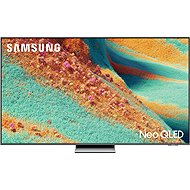
65" Samsung QE65QN85F
Discontinued

Martin, Byšice
Rated 05/07/2026, variant 65" Samsung QE65QN85F
Verified purchase
A stunning picture, perfect sound,
A truly luxurious picture.
I'm satisfied.
image
sound
size
remote control with a solar panel
nothing
0 ×Report
Automatic translation

Libor, Brno 38
Rated 22/06/2026, variant 65" Samsung QE65QN85F
Verified purchase
The telly’s great, but I had to go through a long and tedious process of adjusting the picture. By default, everything is terribly over-saturated; it was only by switching off most of the AI features and setting it to ‘Film’ mode that I managed to make it watchable.
The story itself is a controller that’s minimalist – perhaps a bit too much so. You control the volume by making tiny movements of the button up and down, rather than pressing it intuitively.
Switching the power source or changing a setting involves a lot of clicking. The quick-launch buttons for apps can’t be reconfigured, or at least I don’t know how.
Oh, and the TV shows adverts taking up more than half the screen: (
Otherwise, it’s fine, though: )
good image
SmartThings integration
Samsung
The picture needs adjusting
The remote control is rather daft
Ads
0 ×Report
Automatic translation

Customer, Plzeň
Rated 07/03/2026, variant 65" Samsung QE65QN85F
Verified purchase
Dolby atmos
quality
0 ×Report
Automatic translation
Ondřej, Budišov nad Budišovkou
Rated 18/02/2026, variant 65" Samsung QE65QN85F
Verified purchase
image quality
picture setting options
65 inch ideal at 4m
acceptable price in action
sufficient sound
tyzen brisk
dolby atmos+ digital
samsung does not disappoint
0 ×Report
Automatic translation

David, Havlíčkův Brod
Rated 17/02/2026, variant 65" Samsung QE65QN85F
Verified purchase
great picture
quick menu
surprisingly excellent sound
vodafone TV is really a tragedy (not the fault of the TV, but the badly designed application)
0 ×Report
Automatic translation
Irena, Praha
Rated 06/01/2026, variant 65" Samsung QE65QN85F
Verified purchase
satisfaction
0 ×Report
Automatic translation
Jan, Kamenny Privoz
Rated 16/12/2025, variant 65" Samsung QE65QN85F
Verified purchase - review from a price comparison website
Super price and super brand
None yet
0 ×Report
Automatic translation

Aleš, Kolín 2
Rated 05/12/2025, variant 65" Samsung QE65QN85F
Verified purchase
Perfect picture and sound.
Nothing yet.
0 ×Report
Automatic translation

Jiří, Třemošná
Rated 17/11/2025, variant 65" Samsung QE65QN85F
Verified purchase
I wanted a TLC 65Q7C but ended up replacing it with this Samsung and I did the right thing. TLC's only advantage is in GoogleTV, which should allow more things, but in everything else Samsung is better.
Super picture and sound
Quick and easy operation
There was no need to adjust the picture or sound, everything was just right
Beware, if you want to play movies via DLNA from Synology, you need to remove the " symbol from the TV name and then the TV sees the NAS automatically in the devices and using it is easy.
0 ×Report
Automatic translation