

Reviews Acer Nitro XV273Xbmiiprzx Gaming
Interested in reviews of Acer Nitro XV273Xbmiiprzx Gaming? It got 4.8 out of 5 stars from our customers. Find specific customer reviews of Acer Nitro XV273Xbmiiprzx Gaming below. We will appreciate if you also share your experiences with Acer Nitro XV273Xbmiiprzx Gaming after purchasing.
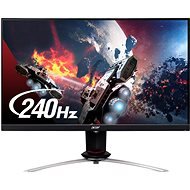
Acer Nitro XV273Xbmiiprzx Gaming
Discontinued

Július, Liptovský Mikuláš
Rated 20/04/2020, variant Acer Nitro XV273Xbmiiprzx Gaming
Verified purchase
IPS
Unrivalled response
No overshoot
No input lag
Almost no IPS glow
240 Hz👌
Gsync works on "master" 48 - 240Hz
Beautiful picture
Functional HDR
Excellent software and profiles
Package does not include DP cable
0 ×Report
Automatic translation

Renata, Chotěbuz
Rated 05/01/2020, variant Acer Nitro XV273Xbmiiprzx Gaming
Verified purchase
Does not tire the eyes
Thin frames
Consumption
Easy assembly without screwdriver
Height adjustability and monitor rotation
Sound with not overwhelming quality, but clearly a plus
A captivating image
Beautiful design
Must have hdmi 2.0 cable for 240hz, as well as supported graphics card with hdmi 2.0
If you're connecting a laptop, not everyone can handle 240hz. Maybe through the display port yes, I haven't tried
Special blue light filter control
It doesn't work automatically, you have to set the 240hz mode in windows. For me it was necessary to reinstall nvidia drivers, which still set the monitor according to its own
Neprilozene CD, it is advisable to download the software for the monitor on the manufacturer's website, it will make it easier to set and switch the profile, brightness, blue light, etc.
0 ×Report
Automatic translation

Customer
Rated 19/04/2023, variant 27" Acer Nitro VG270bmiix
Verified purchase - review from a price comparison website
Size (27'') and almost no bezels, intuitive setup.
Powered directly from the mains.
0 ×Report
Automatic translation

Customer, Bratislava
Rated 25/06/2022, variant 27" Acer Nitro VG270bmiix
Verified purchase
After about two month of using it, I switched to the light theme in OS and found a dead pixel in the center of the screen. Initially I thought it could be darkened or stuck, but after testing it is still visible on dark background and rebooting or running software for fixing stuck pixels does not affect it.
Defective pixel near center of the screen
0 ×Report

Filip, Ružomberok
Rated 23/01/2022, variant 24" Acer Nitro VG240Ybmiix
Verified purchase
Cheap
IPS bleed
0 ×Report
Automatic translation

Kryštof, Praha
Rated 13/08/2021, variant 24" Acer Nitro VG240Ybmiix
Verified purchase
Sufficient for casual gamers and surfing the net
Poor quality repro
0 ×Report
Automatic translation

Jiří, Praha 4 - Nusle
Rated 02/12/2020, variant 24" Acer Nitro VG240Ybmiix
Verified purchase
It has built-in speakers
Ips
2 hdmi ports
For the money, great
Unstable stand
0 ×Report
Automatic translation
Tomislav Langkramer, Praha 3
Rated 25/10/2020, variant 24" Acer Nitro VG240Ybmiix
Verified purchase
Super, narrow bezel, fast response
0 ×Report
Automatic translation
David, Horní Štěpánov
Rated 16/05/2020, variant 24" Acer Nitro VG240Ybmiix
Verified purchase
Colours
Price
The perfect monitor
Stand
Otherwise, nothing.
0 ×Report
Automatic translation

Milan, Mladkov
Rated 21/04/2020, variant 27" Acer Nitro VG270bmiix
Verified purchase
Great
Picture
Feedback
Colours
Bombshell
Nothing
0 ×Report
Automatic translation