

Reviews Canon PIXMA MG3650S white
Interested in reviews of Canon PIXMA MG3650S white? It got 4.4 out of 5 stars from our customers. Find specific customer reviews of Canon PIXMA MG3650S white below. We will appreciate if you also share your experiences with Canon PIXMA MG3650S white after purchasing.
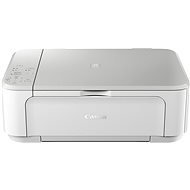
Canon PIXMA MG3650S white
Discontinued

Petra, Praha 2
Rated 12/08/2025, variant Canon PIXMA MG3650S white
Verified purchase - review from a price comparison website
Great product at a great price. Bought for the second time. I'm very happy.
0 ×Report
Automatic translation

Pavel, Strakonice
Rated 23/04/2025, variant Canon PIXMA MG3650S white
Verified purchase
Well, look out. Burn manuals, USB cables, and mobile apps. To connect to wifi, use only this method via WPS. Thus:
1) turn on the printer
2) hold the WIFI button until it flashes
3) press the BLACK button
4) press the WIFI button
5) press the WPS button on the ROUTER And that's it - it stops flashing. Finally, really connected. https://www.youtube.com/shorts/Ou5S-p-8Pe0
you'd think he'd know how to handle her by now.
Wifi via WPS really works (don't try anything else! )
this "precious" product is very safely protected by the so-called. "administrator password" so no one unauthorized can set it, yes!
I learned a new sequence of button presses again
it can silence the message of supposedly empty but filled cartridges (now without irony - probably because of that I stayed loyal to it)
arouses emotions
It's cheap and white. It can be injected. Occasionally buy new cartridges when he starts to grumble. Occasionally buy a new printer when he won't stop grumbling.
It can connect to the network without smart devices - just a router with wps. Pull out the smart devices after this connection. Hopefully I'll remember that for next time.
first launch
the administrator password doesn't match the serialnumber on the printer, ouch (so is the printer even mine? )
I have lost more hours of my life, while I had the same MG3650 (without S) for 7 years before (so I expected to apply those hours of suffering from before)
ios combat selects the SSID but does not let you enter the encryption method and password
the windows app (via USB) will let you enter the encryption method and password, but then stops you at "administrator password"
mac couldn't make it over wifi either
0 ×Report
Automatic translation

Petr, Chotěboř
Rated 29/03/2025, variant Canon PIXMA MG3650S white
Verified purchase - review from a price comparison website
It met my expectations
Nothing
0 ×Report
Automatic translation

Customer, Praha
Rated 13/02/2025, variant Canon PIXMA MG3650S white
Verified purchase
It prints great.
. only I couldn't get her to print with the refilled ink for an hour. She was constantly asking for a new filling. Finally, she understood.
0 ×Report
Automatic translation

Jaroslav, Kochovice
Rated 04/12/2024, variant Canon PIXMA MG3650S white
Verified purchase
Wi-Fi
mobile printing
0 ×Report
Automatic translation

Kamil, Čachovice
Rated 10/10/2024, variant Canon PIXMA MG3650S white
Verified purchase - review from a price comparison website
Despite initial problems satisfaction
prints and scans
complications during the initial installation from PC the procedure did not work until the initiation via Mobile
0 ×Report
Automatic translation
Jan, Pašinka
Rated 08/09/2024, variant Canon PIXMA MG3650S white
Verified purchase
Prints fast
fully sufficient for home use
price/performance ratio
design
light and simple
I had a bit of a problem connecting to the MAC
more complicated pairing and networking, succeeded only on the 3rd attempt
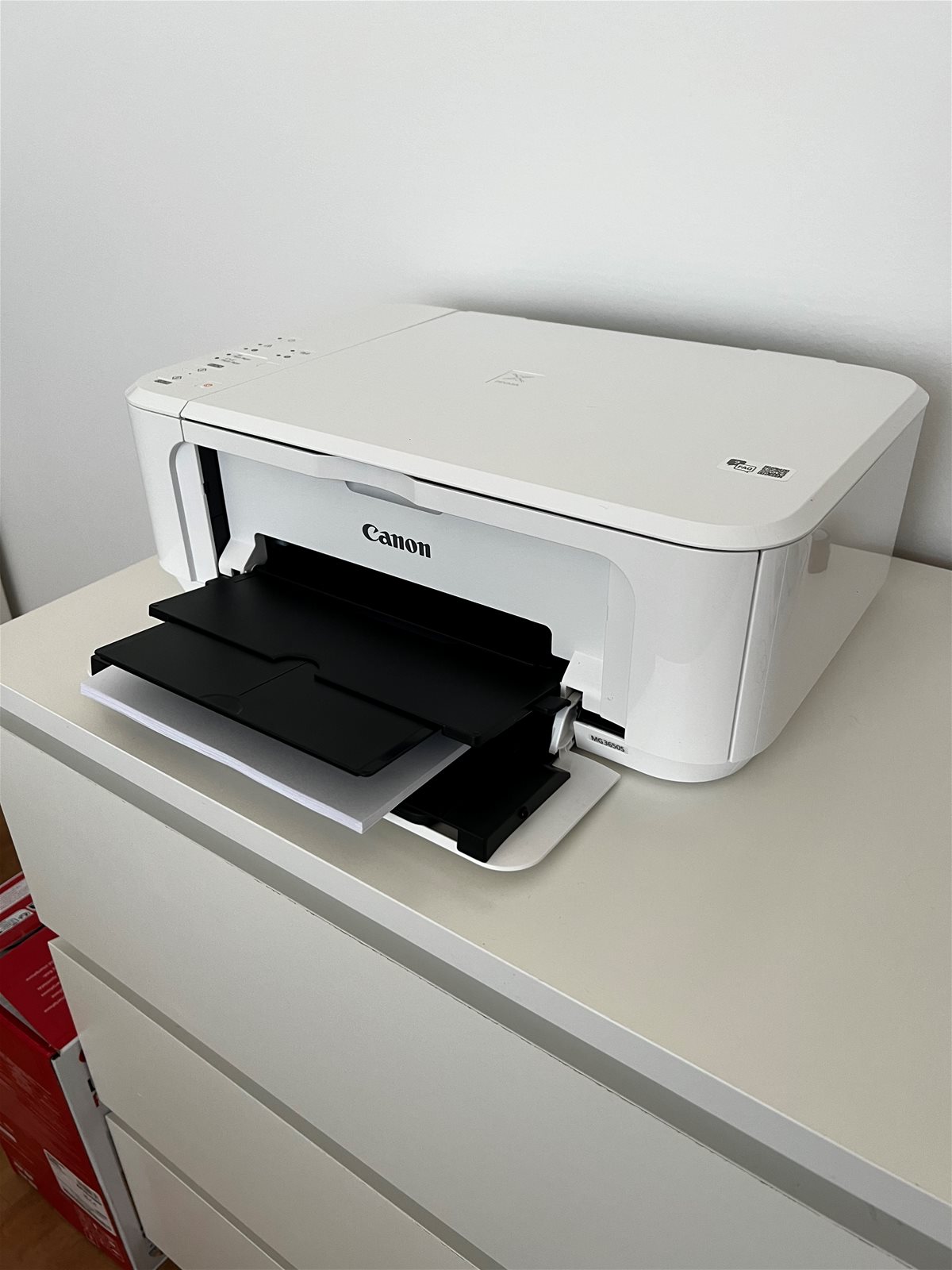
has a short holder for printed sheets that often fall to the floor
slow scanner
0 ×Report
Automatic translation
Zdeňka, Smetanova Lhota
Rated 11/06/2024, variant Canon PIXMA MG3650S white
Verified purchase
Prints fine, no problems so far
Nothing
0 ×Report
Automatic translation
Anonymous customer
Rated 06/01/2024, variant Canon PIXMA MG3650S white
Verified purchase
I was pleasantly surprised by the speed of installation, as I print from my mobile, just download the app and within 5 minutes it is set up. It prints quite fast in black and white and not much slower in colour. The colours are nice and sharp. I think for home use, and for the money, it's really a luxury. For printing invoices, labels and various documents, or scanning them into the device, it is very sufficient and still looks very good. If you are not demanding users and do not need an office bomb to print x hundreds of papers a day, I recommend it.
Very simple installation
Quiet and fast
Price/performance ratio, a lot of music for little money
Elegant
Multifunctionality
Easy colour change
Neither small nor large

0 ×Report
Automatic translation
Anonymous customer
Rated 27/10/2023, variant Canon PIXMA MG3650S white
Verified purchase
Set up and installation was very straightforward and quick for me, even though I have never installed a printer before. The whole process, including reorganizing the cables behind the cabinet, took me about 30 minutes. Connecting to your laptop over WiFi is done for you by the installer and, if needed, it will guide you on what buttons to press on the printer and what exactly to flash at you: ) The test page looks as it should, so for my occasional printing, I think this printer will be just fine
Simple and quick installation
In addition to the installation CD, you can also download the installation files from the web
Cheaper plastics (to be expected at the price)
Cannot be closed with papers in the tray, must always be inserted before printing

0 ×Report
Automatic translation