
Reviews MSI MAG X870E TOMAHAWK WIFI
Interested in reviews of MSI MAG X870E TOMAHAWK WIFI? It got 4.2 out of 5 stars from our customers. Find specific customer reviews of MSI MAG X870E TOMAHAWK WIFI below. We will appreciate if you also share your experiences with MSI MAG X870E TOMAHAWK WIFI after purchasing.
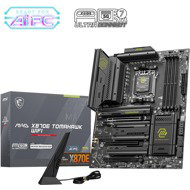
MSI MAG X870E TOMAHAWK WIFI
In stock > 5 pcs
298.90 €
Add to Cart

Martin, Žáky
Rated 17/04/2026, variant MSI MAG X870E TOMAHAWK WIFI
Verified purchase
Honestly, I expected more based on the reviews. I had an Asus B650 on my PC and no problem. I wanted a more equipped motherboard and more m.2 so I put on the reviews and bought MSI MAG X870 TOMAHAWK WIFI. In the end, it went on claim and refund. Frequent and random restarting of bluetooth, usb, jack and rgb backlight Idle and under load, in games and at work. I just couldn't handle it anymore and despite all the effort, setup, clean Win11, Bios update, drivers and exploring it went away. I figured it was probably a defective piece. I bought the MSI MAG X870E TOMAHAWK WIFI and it went out of the house as well after only a week. Exactly the same problems. Always the same LiveKernelEvent hardware bugs, etc. I finally got a gigabyte x870e aorus elite wifi7 and BOOOM! Everything is fine, everything works as before and no errors. For some it will work without problems and for some it won't, but I need a machine that I can rely on for work, not a toy. So for me MSI if you want 100% stability definitely NO. Either Gigabyte or Asus. STABILITY AND RELIABILITY IS SIMPLY MORE.
Clear BIOS
Good equipment
Unstable
LiveKernelEvent hardware bugs all the time
I bought both this motherboard and MSI MAG X870 TOMAHAWK WIFI and both have exactly the same problems
If 100% stability and reliability, I will definitely take Gigabyte or Asus
0 ×Report
Automatic translation

Tomáš, Příbram
Rated 30/03/2026, variant MSI MAG X870E TOMAHAWK WIFI
Verified purchase
I bought 2 pieces of this board. One has been working without problems since the beginning - about 4 months. The objections relate to the second piece, which has been a problem from the beginning. The board stopped working almost completely after about a month, the computer was mostly impossible to turn on. The board was claimed twice, but the claims were not accepted - first the defect did not manifest itself, the board was waiting for assessment in an authorized service for about 4 weeks. The second time it was returned supposedly because of mechanical damage, but it was returned basically immediately (what a change! ). Probably a bent/broken pin in the CPU socket. Given the size (it's really small) it's hard to do anything about it. It's a question of when and why it happened - I can't rule out my fault in testing but it could just as easily have happened in the service department. Unfortunately, I didn't take detailed photos before posting. The socket is definitely not designed for frequent CPU changes. In other words, if the board had worked right from the start, no one would have had to replace the CPU. Therefore, I consider all of this as a proxy reason to reject the claim. I do not highly recommend the board or the MSI brand after this experience. And so for the first time I am disappointed with the approach of Alza.
It takes a long time to initialize the BIOS, or it fails at all and has to be restarted
The computer did not boot exceptionally at first, after about a month it turned around and the computer turned on really exceptionally.
Neither upgrading the BIOS, nor replacing the power supply, nor using components from the other (same build) helped. Just nothing.
Complaint rejected on the basis of a proxy. I believe that the damage was caused by handling the board in the service or during transport.
The other components have been tested in the second build and are fully functional!

0 ×Report
Automatic translation

David, Prague 17
Rated 03/12/2025, variant MSI MAG X870E TOMAHAWK WIFI
Verified purchase
Don't forget to install the latest LAN drivers from Realtek website. When I left the ones that installed Windows 11 there, the problem with the LAN not working after a couple of days was discussed on the net.
Excellent record
Bought unpacked and absolutely fine
Super equipment, wifi 7
0 ×Report
Automatic translation
Kamil, Ostrava-Zábřeh
Rated 17/11/2025, variant MSI MAG X870E TOMAHAWK WIFI
Verified purchase - review from a price comparison website
I'm satisfied.
0 ×Report
Automatic translation

Pavel, Boršice u Blatnice
Rated 11/11/2025, variant MSI MAG X870E TOMAHAWK WIFI
Verified purchase
super
0 ×Report
Automatic translation
Tomáš, Roudnice nad Labem
Rated 21/09/2025, variant MSI MAG X870E TOMAHAWK WIFI
Verified purchase
It's my fourth MSI board, but the first AMD. The previous ones were all Intel and still run without the slightest problem. Honestly, then, golden Intel. What this board with the AMD chipset handing, I have not experienced in my 29 years of gaming life.
despite all the problems, at least it is positive that there are no problems, crashes and blue deaths during gaming itself (yet)
sometimes Windows doesn't boot at all and needs to be turned off - on again
it takes about 100 years to boot into Win, yet Win is on a PCIe 5.0 M.2 SSD
when Win boots up, the USB ports and digital optical audio don't work, you have to restart and then suddenly it works
soft reboot from Win often does not reboot
even though my Bios is up to date, the boosts that MSI boasts will speed up the CPU by 14% don't work at all and the PC freezes
the only thing that works is memory clocking, the rest of the boosts in the Bios are useless
0 ×Report
Automatic translation
Martin, Ostrava - Vítkovice
Rated 04/09/2025, variant MSI MAG X870E TOMAHAWK WIFI
Verified purchase
great motherboard
clear and content-rich bios, you can set anything.
4pin quantity for fans.
on the motherboard the cooler in the upper left is probably bigger than one would expect and because of that I couldn't fit a 420mm AIO into the case
0 ×Report
Automatic translation
Petr, Příbram
Rated 01/08/2025, variant MSI MAG X870E TOMAHAWK WIFI
Verified purchase - review from a price comparison website
I didn't find any disadvantage compared to boards of similar price category
Price/performance ratio
Does not share M2 slots
0 ×Report
Automatic translation

Customer, Jesenice
Rated 25/07/2025, variant MSI MAG X870E TOMAHAWK WIFI
Verified purchase
Works alright.
Conservative design.
Good price
6400MT/s or even 6200MT/s might not work for you, but that's mostly due to the memory controller design. Performance increase is widely regarded as marginal anyways.
0 ×Report

Jiří, Liberec
Rated 21/06/2025, variant MSI MAG X870E TOMAHAWK WIFI
Verified purchase
After initial setup tuning, the board works reliably. I encountered a problem with the NVMe drive autodetection, which set a lower transfer rate than possible - everything had to be set manually. The biggest weakness of the board is the extremely long wait after power-up or after any change in the BIOS. The screen remains black for a long time without any indication, giving the impression that the system has not started. The second drawback is the lack of Bluetooth keyboard support at the BIOS level - so the wireless keyboard cannot be used, for example, to enter the BIOS or boot the system from the boot media. Fortunately, I don't normally turn off my computer and it wakes up quickly from sleep mode.
Equipment
quality workmanship
Clear BIOS
Fast network card
BIOS takes a long time to load after switching on
BIOS does not natively support Bluetooth keyboard.
Poorly detects M.2 drive speed (Samsung 990 PRO 2TB SSD)
0 ×Report
Automatic translation