
Reviews TP-Link Archer BE3600 Dual-Band Wi-Fi 7
Interested in reviews of TP-Link Archer BE3600 Dual-Band Wi-Fi 7? It got 4.7 out of 5 stars from our customers. Find specific customer reviews of TP-Link Archer BE3600 Dual-Band Wi-Fi 7 below. We will appreciate if you also share your experiences with TP-Link Archer BE3600 Dual-Band Wi-Fi 7 after purchasing.
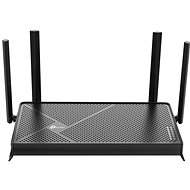
TP-Link Archer BE3600 Dual-Band Wi-Fi 7
In stock > 5 pcs
98.90 €
Add to Cart

Anonymous customer
Rated 17/09/2026, variant TP-Link Archer BE3600 Dual-Band Wi-Fi 7
Verified purchase
Probably good for most people who just want the internet to "work", which is probably why it has 4.8*. For someone who will be doing more in the settings than just setting the Wi-Fi password and does more than just browse, I don't recommend it. Also, on the TP-Link forum they'll reply, which is nice, but they'll tell you that the feature you want works on another router and recommend you buy that one instead. I have no intention of buying 4 routers just to have a fully functional one; I want 1 router where everything works.
2.5GHz port (1x)
unfinished WireGuard support (no IPv6)
ill-conceived UI (option to set a name for the device with no way to reset it to the original name)
Some DNS servers don't work at all
The VPN Client leaks packets whenever it feels like it, or sometimes it cuts the internet off completely (since I've had the VPN directly on my PC I've had no problems).
The Wi-Fi connection is 99% stable, but you can feel that 1% in some cases.
Every now and then, it decides it doesn't like my mobile anymore and I have to switch from MLO to 5GHz.
Loads of other things I had to sort out, which I eventually got to a state where everything mostly works.
0 ×Report
Automatic translation

Michal, Plzeň
Rated 12/09/2026, variant TP-Link Archer BE3600 Dual-Band Wi-Fi 7
Verified purchase
I don't recommend it.
About a month after purchase, it started deleting the household on its own.
Two months after purchase, it started randomly switching off and deleting the household.
0 ×Report
Automatic translation

Jakub, Jetřichovice
Rated 10/09/2026, variant TP-Link Archer BE3600 Dual-Band Wi-Fi 7
Verified purchase
Endless problems with the internet. I spent ages trying to figure out what was wrong, adjusting all the possible settings, and in the end, I threw this router out and put in a different one, and the problems are gone. It would often randomly kick some device at home off the network, which would then have no internet access. Constantly resetting the modem. Never again, TP-Link. And that's despite having my whole smart home from them. And the cameras do the same stupid things. They freeze up every now and then.
application
horror
0 ×Report
Automatic translation
Petr, Brno 14
Rated 22/08/2026, variant TP-Link Archer BE3600 Dual-Band Wi-Fi 7
Verified purchase
Absolutely brilliant so far!
Lightning-fast system response (meaning the administration via the web interface). Compared to, say, a modem from Vodafone, this thing is a rocket ship.
Super fast Wi-Fi. My laptop jumped from about 300 to 2,600Mbit. There's still some room for more, but it's great even so.
Full menu in Czech
3-year warranty
Some features have a fee. Well, that's a big no from me. How far will all these monthly subscription payments everywhere around us go?
0 ×Report
Automatic translation
Jiří, Lanškroun
Rated 19/06/2026, variant TP-Link Archer BE3600 Dual-Band Wi-Fi 7
Verified purchase - review from a price comparison website
I really don’t like the fact that they’re charging for basic features that used to be free on the old routers. I’m talking about the ‘parental controls’ feature – at the moment, I can’t even set a time limit for my son on the computer without having to pay.
Speed
Easy setup
Paid services
0 ×Report
Automatic translation

Helena, Jablonec nad Nisou 1
Rated 12/06/2026, variant TP-Link Archer BE3600 Dual-Band Wi-Fi 7
Verified purchase - review from a price comparison website
It's easy to set up, and the settings explain what each option does.
Leaving everything on 'AUTO' in the settings isn't a good idea
0 ×Report
Automatic translation
Anonymous customer
Rated 10/06/2026, variant TP-Link Archer BE3600 Dual-Band Wi-Fi 7
Verified purchase
After using two ASUS routers, I couldn’t resist the positive reviews for this TP-Link model. At first, I was worried about how I’d manage the setup, but the app… Fortunately, Tether is also available in Czech. The initial setup (configuration) was carried out using an intuitive app. without any real complications. With Tlapnet, I simply had to report the new MAC address of the TP-Link router, and once it was paired with their network, everything has been working fine.
I ran into a few problems when I needed to get the Parkside Smart Changer and the LSC Smart Connect socket up and running. These devices operate exclusively on the 2.4 GHz band. On the router, during the initial setup via the app. Tether had "Smart Connect" ticked in the WiFi section; the router automatically assigned frequencies to individual devices on both networks, but the two devices mentioned above were unable to connect.
It was only after I disabled "Smart Connection" and manually set my Samsung Galaxy S25U to connect to the 2.4GHz Wi-Fi network that both smart devices started communicating with the phone.
It took a bit of fiddling around, but it worked out in the end. TP-Link provides perfect coverage throughout my three-bedroom flat, and I also configured the network settings for individual devices in my home myself on both of my previous ASUS routers.
Having given this TP-Link a quick try, I can highly recommend it; at the price it’s currently on Alza, it’s definitely worth it.
proven brand
3-year warranty
via the app Tether configuration in Czech
Excellent coverage for a 3+1 household
on offer at an unbeatable price
Setting up smart devices in the home can be a bit of a faff
0 ×Report
Automatic translation

Jiří, Tábor
Rated 07/06/2026, variant TP-Link Archer BE3600 Dual-Band Wi-Fi 7
Verified purchase
Except for the cables on top, it's a solid piece. For usb enable network sharing and via explorer, on android LAN plugin for TC in settings with or without password. etc.
Intuitive
easy setup
usb drive shared via samba
hanging on 2 screws on the wall
speed
cables only from above

0 ×Report
Automatic translation

František, Prostějov 4
Rated 04/06/2026, variant TP-Link Archer BE3600 Dual-Band Wi-Fi 7
Verified purchase - review from a price comparison website
Simple setup software. Predictable functionality and a well-designed option to connect with another TP link router to the Easy Masch network.
0 ×Report
Automatic translation
Jakub, Melč
Rated 21/05/2026, variant TP-Link Archer BE3600 Dual-Band Wi-Fi 7
Verified purchase - review from a price comparison website
relatively solid product at a reasonable price. Although it lacks the features of my Asus but the price is half. so if I just want basic stuff like mesh, ideal if I want a feature, maybe a higher range or something else
price
quality
0 ×Report
Automatic translation