Refresh the page

Archive - WiFi Routers & Access Points

Choosing the right wireless router depends primarily on its required speed and the type of data transfers that you want it to do. The maximum speeds are determined by the router's transmission standards which use two different frequency bands. These are common for both routers and end devices such as mobile phones. The less congested 5 GHz band is better for intense data transmissions and high-volume data transfers that are needed for online gaming or streaming video in HD quality. For simpler tasks, such as sending e-mail or web browsing, the 2.4 GHz band is fully sufficient. And what are the differences between the standards?
1095 Results
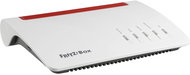
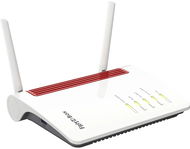
AVM FRITZ! Box 4060 - WiFi router
AVM FRITZ! Box 4060
Discontinued
WiFi router
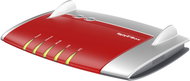
AVM FRITZ! 3000 AX - WiFi Access Point
AVM FRITZ! 3000 AX
Discontinued
WiFi Access Point
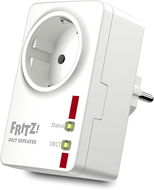
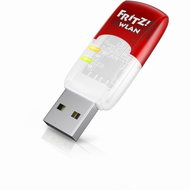
AVM FRITZ! Repeater 600 - WiFi Access Point
AVM FRITZ! Repeater 600
Discontinued
WiFi Access Point
AVM FRITZ! Repeater 1200 AX - WiFi Access Point
AVM FRITZ! Repeater 1200 AX
Discontinued
WiFi Access Point
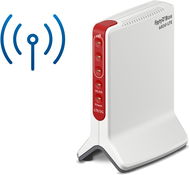
AVM FRITZ! Box 6850 5G - WiFi router
AVM FRITZ! Box 6850 5G
Discontinued
WiFi router
AVM FRITZ! Repeater 6000 - WiFi router
AVM FRITZ! Repeater 6000
Discontinued
WiFi router
AVM FRITZ! Repeater 2400 - WiFi Access Point
AVM FRITZ! Repeater 2400
Discontinued
WiFi Access Point
AVM FRITZ! Box WLAN 7590 AX A-CH - WiFi router
AVM FRITZ! Box WLAN 7590 AX A-CH
Discontinued
WiFi router
TP-Link ER7206 - WiFi router
TP-Link ER7206
Discontinued
WiFi router
AVM FRITZ! BOX 7530 AX AUSTRIA - WiFi router
AVM FRITZ! BOX 7530 AX AUSTRIA
Discontinued
WiFi router
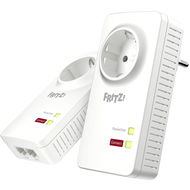
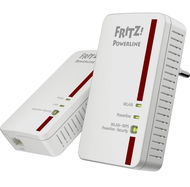
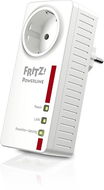
AVM FRITZ! Powerline 1260E WLAN Set - WiFi Access Point
AVM FRITZ! Powerline 1260E WLAN Set
Discontinued
WiFi Access Point
AVM FRITZ! Box 6850 LTE - WiFi router
AVM FRITZ! Box 6850 LTE
Discontinued
WiFi router
AVM FRITZ! Box 4040 - WiFi router
AVM FRITZ! Box 4040
Discontinued
WiFi router

Archive - WiFi Routers & Access Points

Active element in a wireless WiFi network represents a device that acts as an access point (AP) or router. These devices offer facilities that connect a computer, multiple computers or other network devices (clients), and are responsible for subsequent communication and connection to wireless networks. They can also be used to create a wireless network. Active devices are most commonly used to create wireless home or office networks, where the computer (client) connects wirelessly, while the active element is connected to a cable Internet connection (eg. ADSL, cable internet) for sharing Internet access. Active elements can simply be used to wirelessly connect two computers without a line of sight. Line of sight is in fact ideal for establishing a wireless connection between two points.

Try our cookies

Alza.cz a. s., Company identification number 27082440, uses cookies to ensure the functionality of the website and with your consent also to personalisage the content of our website. By clicking on the “I understand“ button, you agree to the use of cookies and the transfer of data regarding the behavior on the website for displaying targeted advertising on social networks and advertising networks on other websites.

More information
I understand Detailed settings Reject everything
P-DC1-WEB05