
Bewertungen 31,5" LG UltraGear 32G810SA-W
Sind Sie interessiert an Bewertungen und Rezensionen zu 31,5" LG UltraGear 32G810SA-W? Zu 4,2 haben wir bisher eine Bewertung von 5 Sternen von 19 Benutzern. Unten auf dieser Seite finden Sie die spezifischen Erfahrungen anderer Kunden mit 31,5" LG UltraGear 32G810SA-W. Wir freuen uns jedoch, wenn Sie uns nach dem Kauf eine Punktzahl zu 31,5" LG UltraGear 32G810SA-W schreiben.
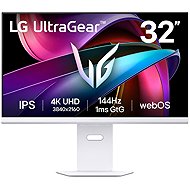
31,5" LG UltraGear 32G810SA-W
Auf Lager > 5 Stk.
467,90 €
In den Warenkorb

Martin, Praha 4
Bewertet am 19.07.2026, Variante 31,5" LG UltraGear 32G810SA-W
Verifizierter Kauf
Abgesehen von webOS ein wirklich guter Monitor in dieser Preisklasse. Man kann darauf spielen, das Bild läuft flüssig, die Farben sind gut. Man kann auch darauf arbeiten, die Helligkeit ist gut, und der Text auf schwarzem Hintergrund ist gut lesbar.
Insgesamt
webOS
0 ×Melden
Automatische Übersetzung

Anonymer Kunde
Bewertet am 13.07.2026, Variante 31,5" LG UltraGear 32G810SA-W
Verifizierter Kauf
Das Schlimmste, was ich je erlebt habe – hätte meine Freundin die Schachtel nicht weggeworfen, hätte ich ihn sofort zurückgegeben. LG versucht, webOS überall unterzubringen; zum Monitor gehört eine fragwürdige Fernbedienung, ohne die man überhaupt nichts ausrichten kann, stundenlange Einstellungen für alles Mögliche, damit man ihn als Monitor nutzen kann – das gipfelte heute in der Meldung, dass sich mein aktiv genutzter Monitor in 5 Minuten ausschalten wird. Ganz zu schweigen davon, dass ich erst einmal nach den Einstellungen suchen musste, damit er sich überhaupt zusammen mit dem Computer einschaltet – dass ich die Lautstärke komplett ausschalten musste, weil er jedes Mal Geräusche von sich gibt, wenn ich mich kurz vom Computer entferne und die Monitore sich ordnungsgemäß ausschalten, das ist der Gipfel der Freude. Wenn Sie nicht zu den wenigen Nutzern gehören, die einen Monitor an ihren PC angeschlossen haben und Netflix auch bei ausgeschaltetem PC schauen möchten, sollten Sie diesen Unsinn auf keinen Fall kaufen. Übrigens kann man ohne diese Fernbedienung überhaupt nichts einstellen, es gibt nur eine Taste, mit der man lediglich das Gerät ein- und ausschalten sowie die Lautstärke regeln kann – was perfekt ist, wenn Sie nach ein paar Jahren, nachdem Sie das System einmal eingerichtet haben, die Fernbedienung irgendwo in eine Schublade legen und dann das Profil ändern möchten, beispielsweise wegen einer anderen Beleuchtung im Raum.
ein beschissenes System
schlechtere Farben als bei einem Monitor aus dem Jahr 2014
sie sieht aus wie ein Fernseher
0 ×Melden
Automatische Übersetzung
Anonymer Kunde
Bewertet am 22.03.2026, Variante 31,5" LG UltraGear 32G810SA-W
Verifizierter Kauf
Farben super
hdr
es geht mir auf die Nerven, ich habe 3 Monitore und wenn ich vergesse, den ersten Monitor mit dem Controller einzuschalten, wird die Reihenfolge der Monitore komplett verändert, das hat wirklich ein Typ erfunden
0 ×Melden
Automatische Übersetzung

Petr, Chrudim
Bewertet am 21.02.2026, Variante 31,5" LG UltraGear 32G810SA-W
Verifizierter Kauf
Der Monitor bietet interessante Bildparameter in dieser Preisklasse, ich habe nichts zu beanstanden. Aber das eingebaute Betriebssystem nervt mich regelrecht und deshalb überlege ich, es zurückzugeben.
Leuchtkraft
Farben, insbesondere Schwarz
USB-C-Anschluss einschließlich Power Delivery
Schönes Design
Flexible Positionierung
Eine absolut schreckliche Software: Der Monitor hat ein eingebautes webOS-Betriebssystem - er ist mehr oder weniger ein Fernseher. Jede Einrichtung des Monitors und der Eingänge erfolgt über das Programm - es ist langsam, jeder Klick lädt; unlogische Kontrolle; Unmöglichkeit, die Einstellungen zu schließen - die einzige Möglichkeit ist ein Neustart des Monitors
0 ×Melden
Automatische Übersetzung
Anonymer Kunde
Bewertet am 09.01.2026, Variante 31,5" LG UltraGear 32G810SA-W
Verifizierter Kauf
Super Image auch unter macOS
Bildeinstellungsoptionen
Konnektivität
wacht gelegentlich nicht aus dem Schlaf auf (1x von 15-20 Aufwachen)
0 ×Melden
Automatische Übersetzung

Radek, Sezimovo Ústí
Bewertet am 06.01.2026, Variante 31,5" LG UltraGear 32G810SA-W
Verifizierter Kauf
Ich richtete alles ein, was in den anderen Beiträgen beschrieben wurde, und der Monitor funktionierte ziemlich gut. Wenn er einschläft, wacht er manchmal nur mit einer Steuerung oder einem Knopf auf dem Monitor auf. Das stört mich nicht wirklich. Ich habe nur gerollt mit 4K/144Hz HDR geht es über USB3 einschließlich der Aufladung (ich kaufte ein TB 5 1,8m Kabel), wie die durch den Monitor hat ein Maximum von 1,2m. Ich verwende eine 150%ige Symbolvergrößerung, da die Vergrößerung sonst sehr stark ist. Ich mache eher einen Bürojob. Aktivität. Ich verstehe die hintere Hintergrundbeleuchtung nicht wirklich. Wenn es nur eine bestimmte Farbe leuchten soll oder zwischen ihnen wechseln soll, ist es nutzlos. Wenn die Farben die Handlung auf dem Bildschirm veranschaulichen würden, wäre es gut, was nicht der Fall ist. Ich empfehle, den MR25GA magic controller zu kaufen, es macht Spaß, damit etwas einzustellen/zu schalten usw. Das Einzige, was nicht so gut geklappt hat, ist der Ton. Praktisch kein Bass. Der Klang erinnert an ein sozialistisches Autoradio, das in einem Skoda 105 eingebaut ist. Es kann durch direkten Kabelausgang (JACK 3,5) oder Bluetooth-Lautsprecher gelöst werden. Unterstützung für eARC .
Bildqualität (ich hatte einen 24 TN LCD)
kann einen kleinen Fernseher ersetzen
es kann intelligente Lampen steuern (ich habe HUE)
mit der LG MR25GA magic control ist es großartig
das Monitorbein kann durch eine Halterung ersetzt werden
Airplay, Goggle Cast, Matter, Wifi-Verbindung, RJ45 usw.
manche Menschen ärgern sich vielleicht darüber, dass sie manchmal nach dem Einschlafen nicht mehr aufwachen
Der Ton ist schrecklich - können Sie einen externen Lautsprecher anschließen?
Ich habe buchstäblich einen Krieg mit der HDMI-Verbindung geführt, bis mir nach dem Lesen der Anleitung klar wurde, dass ich USBC verwenden sollte
die optionale Hintergrundbeleuchtung ist meiner Meinung nach nutzlos
für manche kann die Überfülle an intelligenten Funktionen die Hölle sein
0 ×Melden
Automatische Übersetzung
Viktor, Rádlo
Bewertet am 21.12.2025, Variante 31,5" LG UltraGear 32G810SA-W
Verifizierter Kauf
der Unterschied zu den üblichen 32" 4k 60hz ist unglaublich in Spielen, aber auch in der normalen Arbeit. Aussparung schön, toll für Spiele, sieht sehr gut aus. die Möglichkeit eines Fernsehers mit einem Trimmer
Die mitgelieferten Kabel sind etwa 1 m lang.
0 ×Melden
Automatische Übersetzung
Firma
Bewertet am 27.09.2025, Variante 31,5" LG UltraGear 32G810SA-W
Verifizierter Kauf
Perfektes Bild
Möglichkeit der Stromversorgung des Notebooks über USB C
Automatische Synchronisierung mit der LG TV-Fernbedienung
0 ×Melden
Automatische Übersetzung
Firma
Bewertet am 25.06.2025, Variante 31,5" LG UltraGear 32G810SA-W
Verifizierter Kauf
Die Qualität der Materialien, des Standfußes und der RGB-Hintergrundbeleuchtung ist erstklassig.
Wer den Kauf dieses Monitors in Erwägung zieht, sollte sich darüber im Klaren sein, dass der Monitor nicht automatisch aufwacht, wenn der Laptop oder PC vom Ruhezustand in den Arbeitsmodus wechselt. Es muss jedes Mal entweder mit dem Joystick auf der Rückseite oder mit der Fernbedienung über die Einschalttaste aufgeweckt werden. Wenn Sie den Monitor im Büro verwenden, wird es lästig, ständig nach dem Joystick oder Controller zu suchen.
Für die normale Arbeit ist es besser, einen anderen Monitor zu wählen.
Die Hintergrundbeleuchtung in den rechten und linken Ecken des Bildschirms ist um etwa 20 % geringer - die Ecken des Bildschirms sind dunkler, während der mittlere Bereich heller ist. Das Bild ist nicht homogen.
Die Reaktionsgeschwindigkeit des Panels ist sehr gering - bei 60 Hz und 144 Hz ist der Unterschied kaum wahrnehmbar.
Ton 2 von 10.
0 ×Melden
Automatische Übersetzung