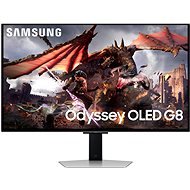
Interested in reviews of 32" Samsung Odyssey OLED G8? It got 4.7 out of 5 stars from our customers. Find specific customer reviews of 32" Samsung Odyssey OLED G8 below. We will appreciate if you also share your experiences with 32" Samsung Odyssey OLED G8 after purchasing.
Verified purchase - review from a price comparison website
The ideal solution for me. A single monitor for both films and work, mounted on a VESA bracket. A television would be far too heavy and bulky, and monitors generally don’t have apps. This one does both and is conveniently controlled by a remote control. I know you can sort it out for free using a standard monitor and some sort of app, but none of them suited me. I’ve got the perfect setup here with my OLED monitor.
Verified purchase - review from a price comparison website
A great monitor for both PC gaming and entertainment – films and the like – and reasonably priced for what it can do. I've been using it for about 14 days now and it's been fine. Probably one of the best in this category.
Super 4K OLED display, decent sound for a slim monitor, Wi-Fi and streaming services, 2x HDMI, USB, DisplayPort, remote control for adjusting all functions and settings, adjustable stand,
It doesn't have a USB-C port; the remote control could be larger and backlit.
For the price of almost 30k you need to buy an HDMI cable for another 1000Kč, otherwise you will drop the picture on the Mac mini. The included cable sucks. Shame on Samsung.
I had to return the panel due to eyestrain and headache. According to references, this is not that unusual for QD OLED panels.
great colours and response
thin frame
basically you can't control the monitor via the buttons on the monitor, you have to use the controller to go into the "Smart" OS, which is a pain
the panel flickers, it is visible even if you take a video via mobile, according to forums it is a problem of QD OLED panels and many people do not mind it
after about 5 hours the panel switches itself off and has to be restarted. maybe you can cancel it somewhere in the settings, but I haven't found where
The ability to calibrate colours very decently using the Smart Things app and a compatible mobile phone (tested on the Samsung Galaxy S22 Ultra).
minimum lag
possibility to set almost all parameters via mobile phone
works as a smart TV with Tyzen OS
gorgeous design
some reviews complain that the screen is dull, but for me it is rather a plus.
the wide gamut means that the colours look great, but are not very true to life. Calibration can largely correct for this, but it's not a pro photo/video editing monitor, at least certainly not right out of the box.
OLED display and the associated risk of burn-in, although built-in features can mitigate this to a large extent. He'll tell time.
Samsung OLED - great colors, absolutely no ghosting, blur, or input lag
Burn protections (I use them primarily for work) work and are not a nuisance
Automatic source switching works very smart ok (update, older firmware can' t do this)
Control from a mobile application is much faster and more convenient than using a joystick on a monitor
Equal. Great for work and play. After two years with a curved display, a significant improvement in accuracy when working (curved displays distort the image, the curvature is not uniform). There' s a reason pros play on flat displays.
Low input lag maintained even when connected to inferior hardware, such as the Mac M3 Pro, which only manages output at 60/120 Hz.
DisplayPort and HDMI cables included
Lightweight and thin
It remembers the settings according to the type of input.
Automatically updates, update takes seconds. And they fix essential things like automatically turning on the monitor when the input is turned on.
A mobile app could directly mirror all settings. It only allows you to set some things directly. Everything else must be set in the monitor menu, where the mobile application serves only as a remote control.
You can' t turn it on and start using it right away. Samsung forces the user to set up the monitor, while pushing to pair with a mobile app and connect to WiFi. The app crashed twice while setting it up, so it took tens of minutes before I could start using the monitor. Automatic updates are an advantage.
0 ×Report
Automatic translation
Try our cookies
Alza.cz a. s., Company identification number 27082440, use cookies and other data to ensure the proper functioning of the website and, with your consent, also, among other things, to personalize advertising and the content of our websites. By clicking on the “I understand“ button, you agree to the use of cookies and the transfer of data regarding the behavior on the website for displaying targeted advertising on social networks and advertising networks on other websites.