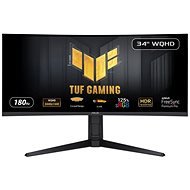
Interested in reviews of 34" ASUS TUF Gaming VG34VQL3A? It got 4.8 out of 5 stars from our customers. Find specific customer reviews of 34" ASUS TUF Gaming VG34VQL3A below. We will appreciate if you also share your experiences with 34" ASUS TUF Gaming VG34VQL3A after purchasing.
Rated 16/03/2026, variant 34" ASUS TUF Gaming VG34VQL3A
Verified purchase - review from a price comparison website
Size
Ideal curvature
0 ×Report
Automatic translation
Customer, Budapest (1238)
Rated 24/11/2025, variant 34" ASUS TUF Gaming VG34VQL3A
Verified purchase
Játékhoz kiválló szélesvásznú monitor. A minősége az árának teljesen megfelelő.
Jó felbontás, kielégítő HDR
A hangszórók viccnek is rosszak.
0 ×Report
Zbyněk, Jičín
Rated 02/09/2025, variant 34" ASUS TUF Gaming VG34VQL3A
Verified purchase
Completely satisfied
nothing
0 ×Report
Automatic translation
Leoš, Pňovice
Rated 11/06/2025, variant 34" ASUS TUF Gaming VG34VQL3A
Verified purchase - review from a price comparison website
Beautiful colors, response time, good monitor for the money
0 ×Report
Automatic translation
Richard, Písek
Rated 05/01/2025, variant 34" ASUS TUF Gaming VG34VQL3A
Verified purchase
Compared to previous relatively high quality IPS monitors, this VA panel has a much better picture, mainly due to the great contrast, which is up to 4 times higher than average IPS monitors. The contrast also makes the colours stand out beautifully, which I didn't expect compared to the 130% sRGB coverage of the original IPS. Secondly refresh rate and games. VA monitors are notoriously slower pixel response than IPS, which makes them worse for gaming. But compared to the previous 75 Hz monitor, this one is like heaven and earth. When set to 165 Hz, the picture is absolutely smooth. I tried the UFO test and I would hardly recognize the ghosts in the game. It's not for pro CSka, but for everything else, including racing games, it's great. This brings me to the ultra-wide format, which added greatly to my enjoyment of the game. And finally, the freesync malaise. Granted, the 48 - 165 Hz freesync range is great, but it only works well above 60 Hz. If there is a significant dip below 60 in the game, the monitor shows slight flickering. The worst is around 50 Hz, the monitor is constantly flickering with brightness and it's very distracting. So in games where my FPS often drops below 60 Hz I have to unfortunately turn off freesync. It's not that bad and if I turn off freesync everything is fine, but I had to mention it and that's why "only" 4 stars. Overall, I'm happy with the previous IPS monitor and would go for VA or OLED again next time.
Super contrast, compared to my previous IPS monitor I feel like I have HDR on
Beautiful colours and wide format
Refresh rate of 165 Hz really great, unprecedented response for a VA panel, racing games and FPS are smooth at the same time
Simple menu control with joystick
USB hub in display (2x USB 2.0 for peripherals)
Very high quality HDMI and DP cables included (I haven't seen cables with two ferrite rings yet)
Completely homogeneous backlighting
no backlight bleeding as with IPS
Freesync if fps doesn't drop much below 60 Hz
Fast charging
Freesync causes flickering around 50 fps (can be solved by disabling freesync in the game)
Sound - I don't mean the display's speaker, but its audio output through the jack. I have an external speaker plugged into the monitor, and I must add that the monitor introduces a lot of noise into the sound. At 50% volume there is a clear noise in the silence. (the previous monitor did not do this)
It has quite a problem with subtle colour gradients
0 ×Report
Automatic translation
Petr, Znojmo
Rated 11/07/2024, variant 34" ASUS TUF Gaming VG34VQL3A
Verified purchase
It' s my first VA monitor. So I don' t know to what extent the mentioned shortcomings are characteristic of gaming wide VA monitors in general.
Good FreeSync support (even " Premium" at FPS below the lower limits of the VRR range; " Pro" - I didn' t try HDR)
my first ultra wide monitor and I don' t want a smaller one anymore; great for work (programming), awesome with any WM tiling in linux, much better than two monitors side by side, which I could never stand
the curvature is great, if you look at the monitor from a distance of approx. 75 cm, every point is the same distance from your eyes and you can look at all points without changing the focus - easy on the eyes
great Vivid Pixels function in OSD, defacto sharpening. Even at the first level it looks better than the 95% sharpening of FSR
I haven' t noticed any ghosting, overshot artifacts caused by overdrive, or disturbing motion blur even in dark game scenes, but of course there is a noticeable difference compared to IPS and PLS monitors, background motion blur in FPS games when the camera is quickly rotated is of course visible, but again almost you don' t need to turn on the motion blur effect in games: ), with motion blur turned on in games, there is no difference in the result compared to IPS. I don' t turn on ELMB (Extreme Low Motion Blur) - I didn' t notice the difference (but I also didn' t notice the back light strobing that the OSD warns about when turning it on) and ELMB requires VRR to be turned off
Comfortable when working in dark color themes in low light or darkness (I always hated dark themes on IPS and PLS monitors). On the contrary, my favorite low brightness mode for working with light themes is unusable in dim and dark conditions due to the constant backlighting).
UWQHD in general: This monitor has a PPI very similar to 24" FHD monitors (110 vs 96). So I didn' t have to turn on scaling or change the font size.
Font sharpness at Vivid Pixels level 1 is great.
21:9 - movies without black bars at last: )
If you have a free OS, you save for Netflix or another streaming commercial DRM platform, because you don' t really want to watch FHD or even just HD movies: (
There is a 2-3 cm shade gradient on the edges of the monitor, and especially on the bottom; you can get used to it, it is not visible when playing games, but noticeable when working.
Sometimes with VRR (FreeSync) turned on and normal use outside of games, certain background color combinations (e. g. gray or dark gradient) constantly changes contrast, or flashes (e. g. maximized Steam client or Steam store website. But it doesn' t always do it! When it starts doing that I turn off the VRR. Flickering happens sometimes even in games if the FPS is significantly lower than VSYNC with VRR on and in darker scenes or gradients (fog etc. ). Overall, the gameplay is great.
occasional automatic contrast change, which can be annoying (mostly it' s fine, but you can' t turn it off! ASCR (ASUS Smart Contrast Ratio is turned off, it only multiplies this effect)
At a refresh rate of 120 Hz+ without VRR, the monitor sometimes turns off or goes black (the sound via DisplayPort is also interrupted). It does this frequently and is unusable (several times per minute). With VRR on, everything is completely fine even at 180 Hz. Tested on two GPUs (RX 6700 XT and 7900 XT, GPU and CPU load does not matter, tested with DisplayPort and HDMI cables supplied with the GPU and others I have at home).
The monitor without overclocking (it can be turned on in the OSD menu) can only handle 144 Hz. 160 and 180 Hz only when overclocking. When overclocking, the OSD shows a warning that the monitor can flicker, I didn' t notice, but I play at max 144 Hz.
The image changes its properties even at a very small viewing angle, mainly the brightness (or contrast) and sharpness decrease, for example 45 DEG is already quite noticeable.
black is worse than my old PLS monitor, it' s because of the backlight, which can' t be completely lowered
if you like low brightness way of working with light color themes {black on white/light background} in dim or near dark it is unusable due to constant backlight and low contrast at zero brightness. On the other hand, dark color themes (e. g. white on black) are great, much better than IPS panels, even after dark)
UWQHD in general: Consider that you need enough GPU power (7900 XT is definitely OK). 60 or 75 Hz is not enough for FPS games on such a wide monitor, because the fast horizontal movement of the camera will cause the points to move over very large physical distances. 100 FPS is OK
It' s my first VA monitor. So I don' t know to what extent the mentioned shortcomings are characteristic of gaming wide VA monitors in general.
I paid 9k for it, today the cheapest UWQHD gaming monitors are sold for 6k. If I were to buy today, I would probably buy a cheaper one for 6k (but the vivid pixels function is great with this monitor).
UWQHD in general: Far from all games support ultra wide, the problem is mainly with games such as strategies that have fixed positions of control elements on the edges of the monitor (e. g. Stellaris).
UWQHD in general: older games that do not support ultra wide resolution at all are probably better played in a window. But there, at least in Xorg on Linux, FreeSync doesn' t work, so Gamescope (from Valve) is used as a solution.
UWQHD in general: On Linux (and any other free OS) you won' t force Netflix or any other commercial streaming service to play content in a higher resolution than 1080p (some services even only 720p), because there is no DRM technology like HDCP or Widevine L1 in free systems, and probably never will be. which require complete control over what your computer is doing.
0 ×Report
Automatic translation
Try our cookies
Alza.cz a. s., Company identification number 27082440, use cookies and other data to ensure the proper functioning of the website and, with your consent, also, among other things, to personalize advertising and the content of our websites. By clicking on the “I understand“ button, you agree to the use of cookies and the transfer of data regarding the behavior on the website for displaying targeted advertising on social networks and advertising networks on other websites.