

Corel Painter 2023 Win/Mac EN EDU (electronic licence)
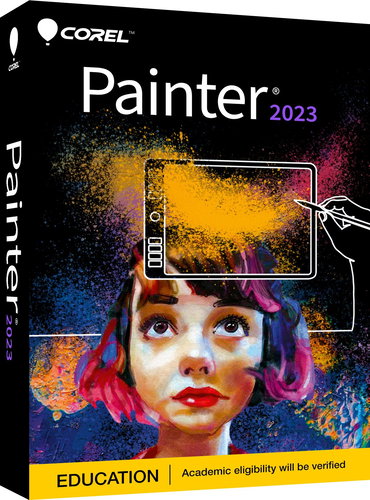
Corel Painter 2023 Win/Mac EN EDU (electronic licence)
With Corel Painter 2023 graphics software, you can sketch, paint, illustrate and create unique art with hundreds of realistic brushes created by professionals. It offers a range of versatile art tools and superb blending. Easily create realistic images using dry, wet, and blending tools. When drawing on a tablet, tilt, rotation, and pressure are all supported for a true-to-life painting experience. It also has the advantage of supporting both macOS and Windows.

Key Features of Corel Painter 2023 Win/Mac EN EDU (electronic licence)
- First-class blank canvas painting and photographic art tools
- Acclaimed Natural-Media emulation and digital art brushes
- Endless customisation of brushes, textures, and other media
- Corel Painter 2023 offers fluid brushes, watercolours, airbrushes, etc.
- It's very easy to transfer files between Photoshop and Painter while preserving content
- Perpetual licence for one device

Professional Painting Software
Corel Painter 2023 was created by artists, for artists, to create and develop their signature style. You have tools at your disposal to bring published materials, fantasy art, films, and games to life with more diverse digital art software. You can mix real images with painting for a fresh result. Artificial intelligence is available to get you started with painting quickly, and then auto-painting and cloning will help you finish, delivering a unique result.

Create the Smoothest Strokes
Easily apply paint subtly, blend, sculpt, glaze, add texture and reflective light – this is an innovative technology that gives you unparalleled control over the opacity and smoothness of your brushstrokes. Combining Painter's unparalleled blending with opacity control, Fluid brushes are designed to take advantage of layer transparency, allowing you to softly build up and blend colour with less stroke overlap.
Fluid Paint Technology
Painter 2023 offers a more intuitive selection workflow by improving the visibility of selected areas, bringing important controls to the forefront, and enhancing the most-used selection tools. A colour overlay option has been added to selection tools for better visibility of selected areas. This is especially useful for selections with complex shapes and transparency. The overlay helps speed up the creation, editing, and refinement of your selection. You can also customise overlays and save them as presets for specific projects. Visualise just the marquee, just the overlay, or both, depending on your preference. The cursor for the Lasso and Polygon tools is also more visible, helping you to make even more precise selections.


Easy Access to Controls
Speed up your workflows with the Selection panel, which provides quick access to all controls when performing selection-intensive tasks. Using the handy slider on the property bar, you can quickly feather your selections and adjust them up to 2000 pixels. You can now use enhanced keyboard shortcuts to switch from addition or subtraction modes. When you create a mask, the selection is automatically applied. In addition, there are several other enhancements that make your interactions with selections faster and more predictable.
Supported OS:
Windows 11 or Windows 10 (64-bit) with the latest updates, macOS 12 Monterey or macOS Big Sur 11.0 with the latest updates.
Specifications
Basic parameters
License type
Software type
License
Compatibility
Language version
| Code: | SWcp2023a3 |
| Links: | Producer's Website: |