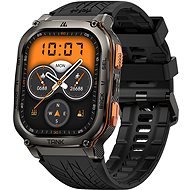
This page contains frequently asked questions about KOSPET TANK M3 Ultra Black. If you are considering buying this product, you may want to read the discussion or ask more questions about KOSPET TANK M3 Ultra Black. They will be answered by our specialists.
mein tank m3 ultra häng sich nach Messung auf und bleibt bei 28% stehen
Alza Expert,10. 2. 2025
Es tut mir leid, dass Sie Probleme mit Ihrem KOSPET TANK M3 Ultra Black haben. Hier sind einige Schritte, die Sie ausprobieren können, um das Problem zu lösen:
Starten Sie die Uhr neu: Versuchen Sie, die Uhr auszuschalten und wieder einzuschalten.
Aufladen: Stellen Sie sicher, dass die Uhr vollständig aufgeladen ist. Verwenden Sie das Original-Ladegerät und lassen Sie sie mindestens 30 Minuten lang aufladen.
Firmware-Update: Überprüfen Sie, ob die Uhr auf die neueste Firmware-Version aktualisiert ist. Dies können Sie über die mit der Uhr gekoppelte App tun.
Zurücksetzen der Uhr: Wenn das Problem weiterhin besteht, versuchen Sie, die Uhr auf die Werkseinstellungen zurückzusetzen. Dadurch werden alle Daten gelöscht, also sichern Sie diese vorher.
Customer,21. 7. 2024
Why can't the sound of the alarm be turned off completely so that only the vibration works?!
Customer,23. 7. 2024
Thank you, I tried this way, the sound of the alarm does not stop completely, it is like some kind of software bug.
Customer,23. 7. 2024
Thank you, I tried this way, the sound of the alarm does not stop completely, it is like some kind of software bug.
Alza Expert,22. 7. 2024
Dear customer,
Thank you for reaching out to us.
Method 1: Swipe down on the home screen, and go to Settings > Sound & Vibration to adjust it.
Method 2: Swipe left or right on the home screen, and go to Settings > Sound & Vibration to adjust it.
You can adjust the vibration strength and enable Silent Mode if necessary.
If you have any further questions, please do not hesitate to contact us.
Best regards
Customer,23. 7. 2024
Thank you, I tried this way, the sound of the alarm does not stop completely, it is like some kind of software bug.
Customer,23. 7. 2024
Thank you, I tried this way, the sound of the alarm does not stop completely, it is like some kind of software bug.
Customer,23. 7. 2024
Thank you, I tried this way, the sound of the alarm does not stop completely, it is like some kind of software bug.
Customer,23. 7. 2024
Thank you, I tried this way, the sound of the alarm does not stop completely, it is like some kind of software bug.
Customer,23. 7. 2024
Thank you, I tried this way, the sound of the alarm does not stop completely, it is like some kind of software bug.
Customer,23. 7. 2024
Thank you, I tried this way, the sound of the alarm does not stop completely, it is like some kind of software bug.
Customer,21. 7. 2024
Why can't the sound of the alarm be turned off completely so that only the vibration works?!
Alza Expert,22. 7. 2024
Dear customer,
Thank you for reaching out to us.
Method 1: Swipe down on the home screen, and go to Settings > Sound & Vibration to adjust it.
Method 2: Swipe left or right on the home screen, and go to Settings > Sound & Vibration to adjust it.
You can adjust the vibration strength and enable Silent Mode if necessary.
If you have any further questions, please do not hesitate to contact us.
Best regards
Customer,11. 7. 2024
Can I change altimeter readings from meters to feet?
Alza Expert,14. 7. 2024
Dear customer
To change the units from meters to feet on a KOSPET TANK M3 Ultra smartwatch, you will typically need to adjust the settings either directly on the watch or through the companion app on your smartphone. Here are the general steps you can follow:
Directly on the Smartwatch:
Turn on your smartwatch and ensure it is fully charged.
Access the settings menu:
Swipe down or press the main button to open the menu.
Navigate to the settings icon, which is often represented by a gear symbol.
Find the unit settings:
Look for an option labeled "Units," "Measurement," or something similar.
Change the units:
Within the units settings, you should see options for distance, such as "Meters" and "Feet."
Select "Feet."
Using the Companion App:
Open the companion app on your smartphone. This app is often named "Da Fit" or "Kospet" depending on the smartwatch model.
Pair your smartwatch with the app if it’s not already connected.
Access the settings:
Navigate to the device settings or profile settings within the app.
Look for a section related to units or measurement preferences.
Change the units:
Select "Feet" instead of "Meters" for distance measurements.
General Tips:
Consult the user manual: Refer to the user manual provided with your smartwatch for specific instructions related to your model.
Check for firmware updates: Ensure your smartwatch firmware and the companion app are up to date, as unit settings options can sometimes be added or improved with updates.
Restart the smartwatch: After changing the settings, it might be helpful to restart your smartwatch to ensure the changes take effect properly.
If you encounter any issues or if the option is not available, contacting KOSPET customer support or checking their online forums may provide additional assistance.
Kind regards
Alza.cz a. s., Company identification number 27082440, use cookies and other data to ensure the proper functioning of the website and, with your consent, also, among other things, to personalize advertising and the content of our websites. By clicking on the “I understand“ button, you agree to the use of cookies and the transfer of data regarding the behavior on the website for displaying targeted advertising on social networks and advertising networks on other websites.